
The right heading in categories
The default OpenCart theme marks the category name as a secondary heading. The module makes it the main one, so Google better understands what the page is about.
Air SeoGen writes page titles and descriptions for Google from your template — for thousands of products at once. New products get clean URLs, and links in messengers get a card with a photo.
No need to fill in every product. The module puts the name, price and category into your template every time a customer or Google opens the page.
Nothing is filled in on the product itself — everything comes from the template.
This is how the module setup looks. Click “Name”, “Price” or “Store” to insert them into the text, add emoji or pick a ready-made option.
The module first checks whether the product has your own title. If not, it takes the category template, then the general template, and as a last resort just the product name. Toggle them and see what Google will show.
Instead of a URL full of numbers like …product_id=42 — a readable URL with the product name. A new product gets it as soon as you save it.
Be careful with a shop that’s already in Google. If you change URLs in bulk, old links will stop opening. New products get URLs automatically anyway — bulk changes are rarely needed.
Small things that save hours of work.
The default OpenCart theme marks the category name as a secondary heading. The module makes it the main one, so Google better understands what the page is about.
One text for smartphones, another for laptops. All other products use the general template.
✅ 🚚 ☎ make a page stand out in search. The module stores them correctly even on older hosting — no garbled text.
Built-in examples to start in a minute, plus your own presets that you can move to another shop.
Templates for blog articles and sections, clean URLs for articles.
In regular OpenCart brands have no SEO fields — the module fills them in from a template.
Old titles left over from an import? Clear them with one button and the template takes over everywhere. Make a backup first.
Save all templates to one file — before an update or to move them to another shop.
The “Service” tab checks your shop and shows right away what needs fixing.
| Module version | 2.0.0 |
|---|---|
| Update fully installed | Yes |
| License | Active |
| Clean page URLs enabled | Yes |
| URLs for new products | Working |
| Emoji are stored correctly | Yes |
| Languages with templates | UA, EN, RU |
| Other SEO modules in the way | None |
Real screenshots from the module manual. The interface language matches your admin.
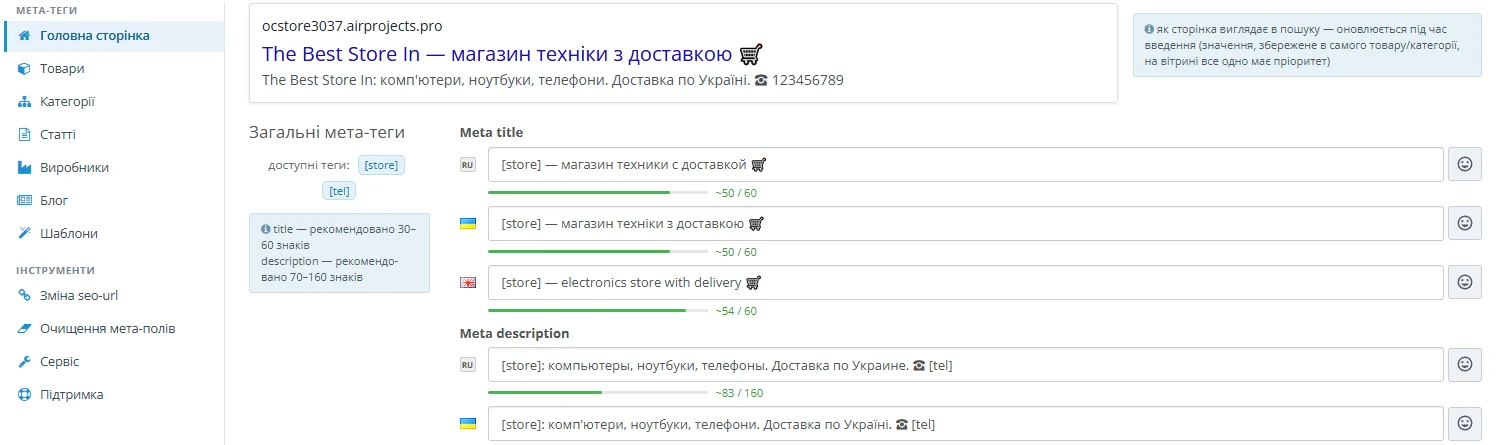 Settings page Sections on the left, a Google preview and templates for each language
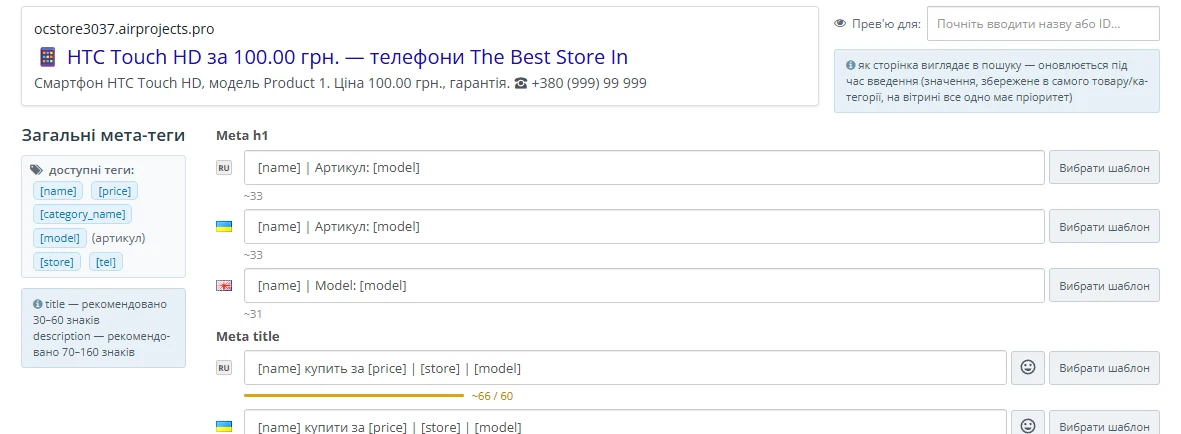 Product templates Checking on a specific product
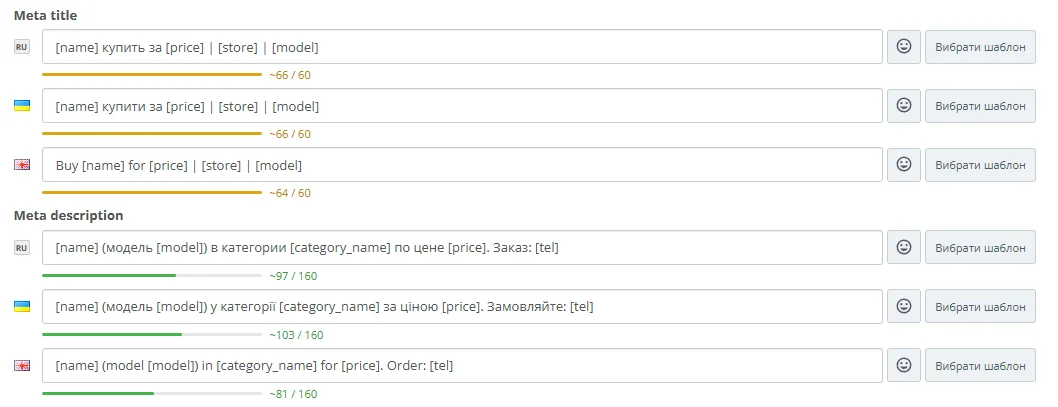 Length hint Green is fine, yellow is too long
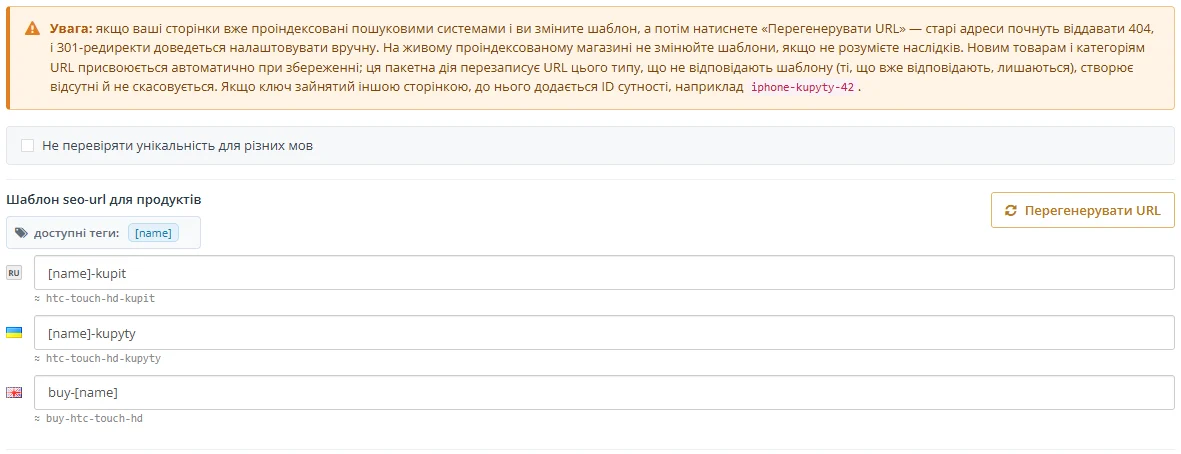 Page URLs A URL template for each language
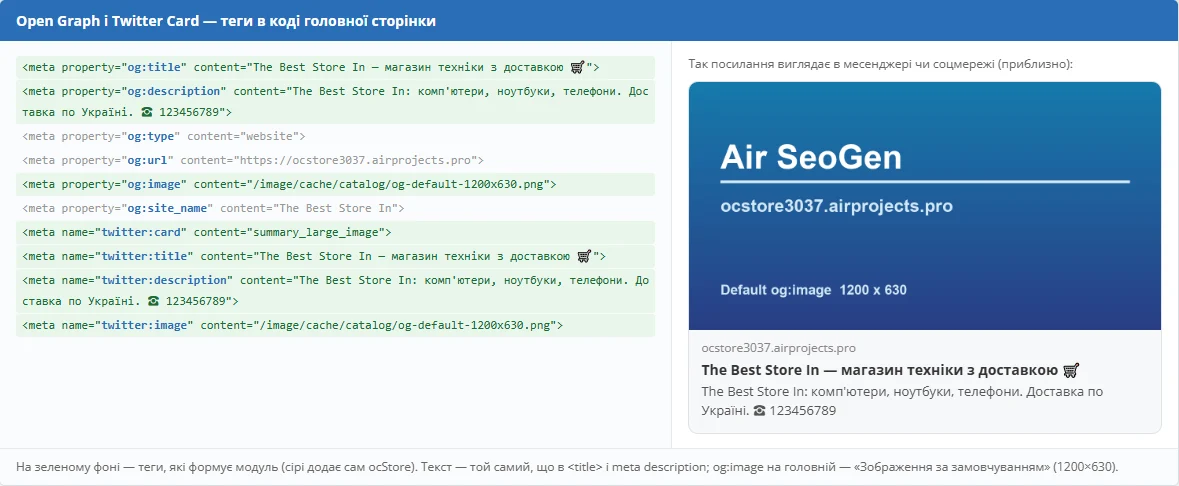 Link cards How a link will look in a messenger
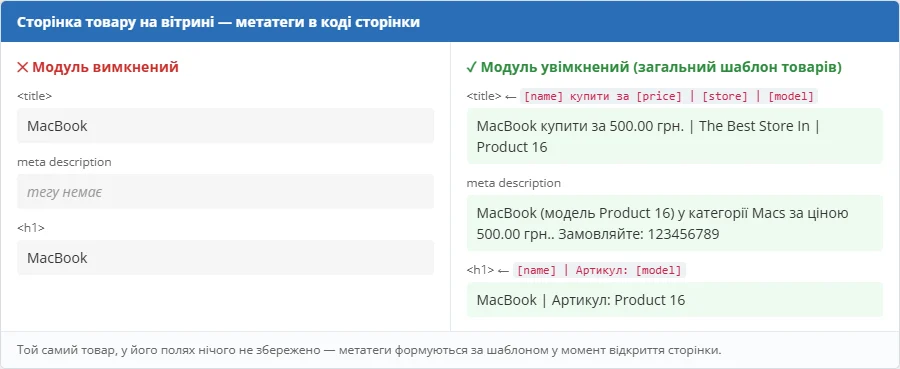 Before and after The same product with the module off and on
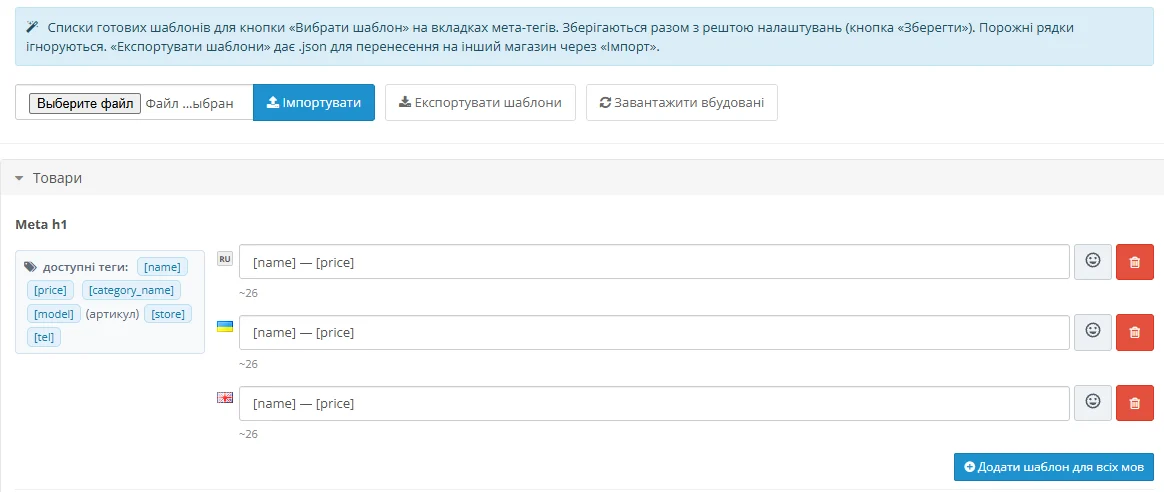 Ready-made templates Your own presets for each language
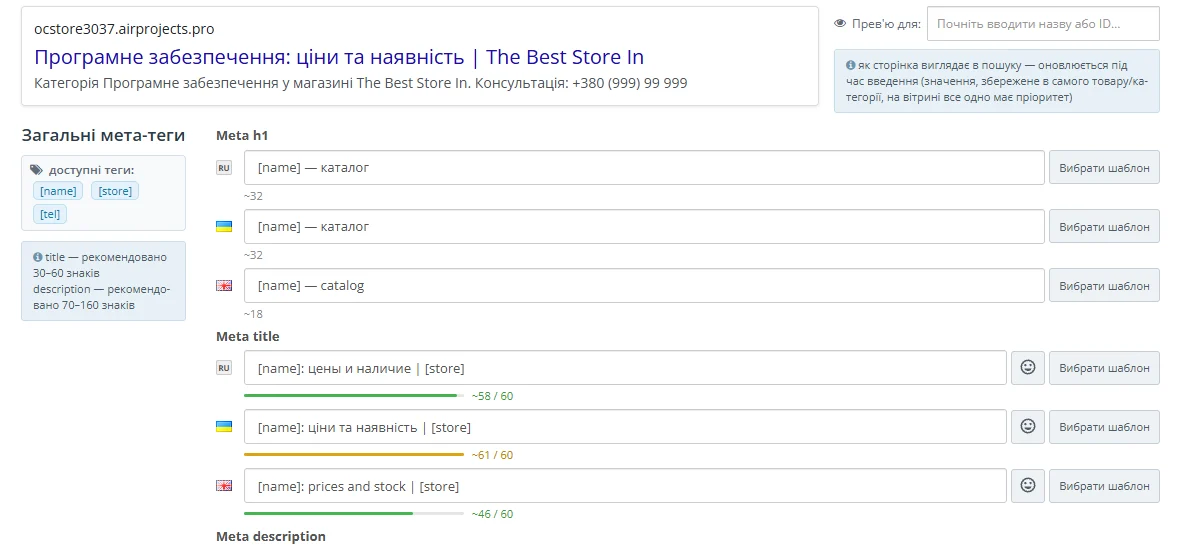 Categories Category templates with a Google preview
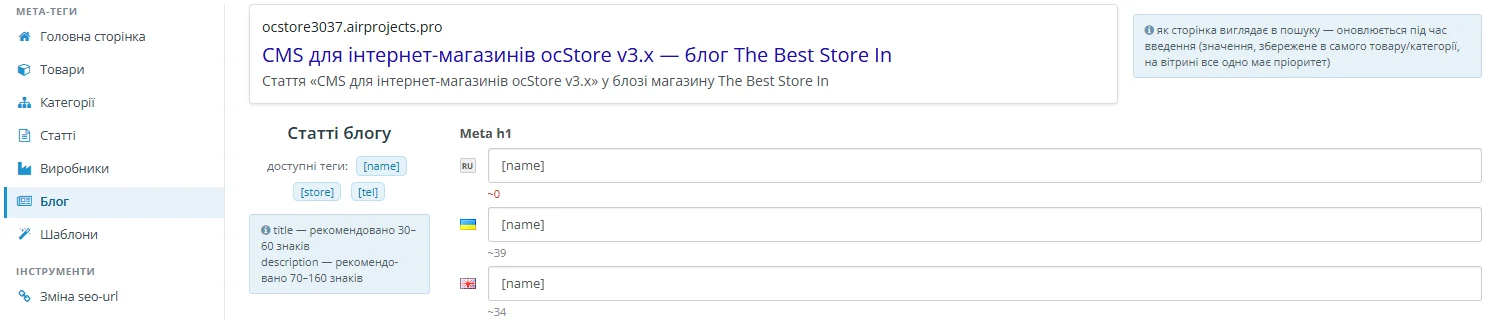 Blog Templates for ocStore blog articles
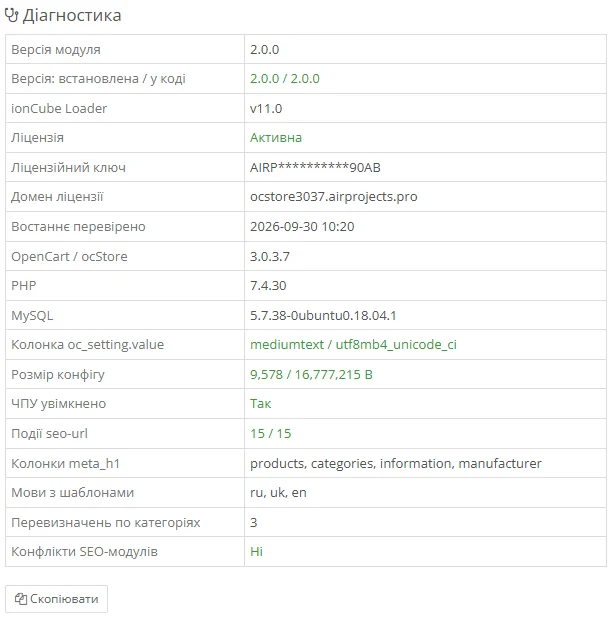 Service Shop and licence check
No. You write one template and the module builds titles and descriptions for all products. Change the template and the whole catalogue updates.
They stay: the module shows your text instead of the template. If you want the template everywhere, old texts can be cleared with one button — make a backup first.
Not by themselves. The module adds URLs to new products and to those without one. Bulk URL replacement is a separate button — on a shop that’s already in Google, use it carefully: old links will stop working.
OpenCart 3.0.3.x or ocStore 3.0.3.x and PHP 7.4, 8.1, 8.2 or 8.3 with ionCube Loader enabled — almost every host has it and it’s switched on in the control panel. Without it the shop works as before, just without the module.
If another module also changes titles, only one of them will apply. The “Service” tab shows which module gets in the way — keep one active. The standard SeoPro in ocStore doesn’t interfere.
Yes, titles, descriptions and URLs work with any theme. If your theme already makes link cards for messengers, the module won’t add duplicates.
Yes, each store language gets its own title and URL template.
One purchase — a license for your domain, the archive and updates in your account.
New orders, status changes, reviews and contact form requests — straight to Telegram.
A Nova Poshta branch, parcel locker or courier — the customer picks it in seconds right at checkout.
Product feeds for Google Merchant Center and the Facebook/Instagram catalog.
We’ll install it, adapt it to your theme or build a module for your needs.
A product link as a neat card in messengers
When a customer shares a link in Telegram, Viber or Facebook, a card with a photo, name and description appears. The module takes them from the same titles — nothing extra to set up.
If your theme or another module already makes these cards, just turn it off — no duplicates.