Options + for OpenCart 3 and ocStore 3

Every colour is its own product. Choosing takes one click.

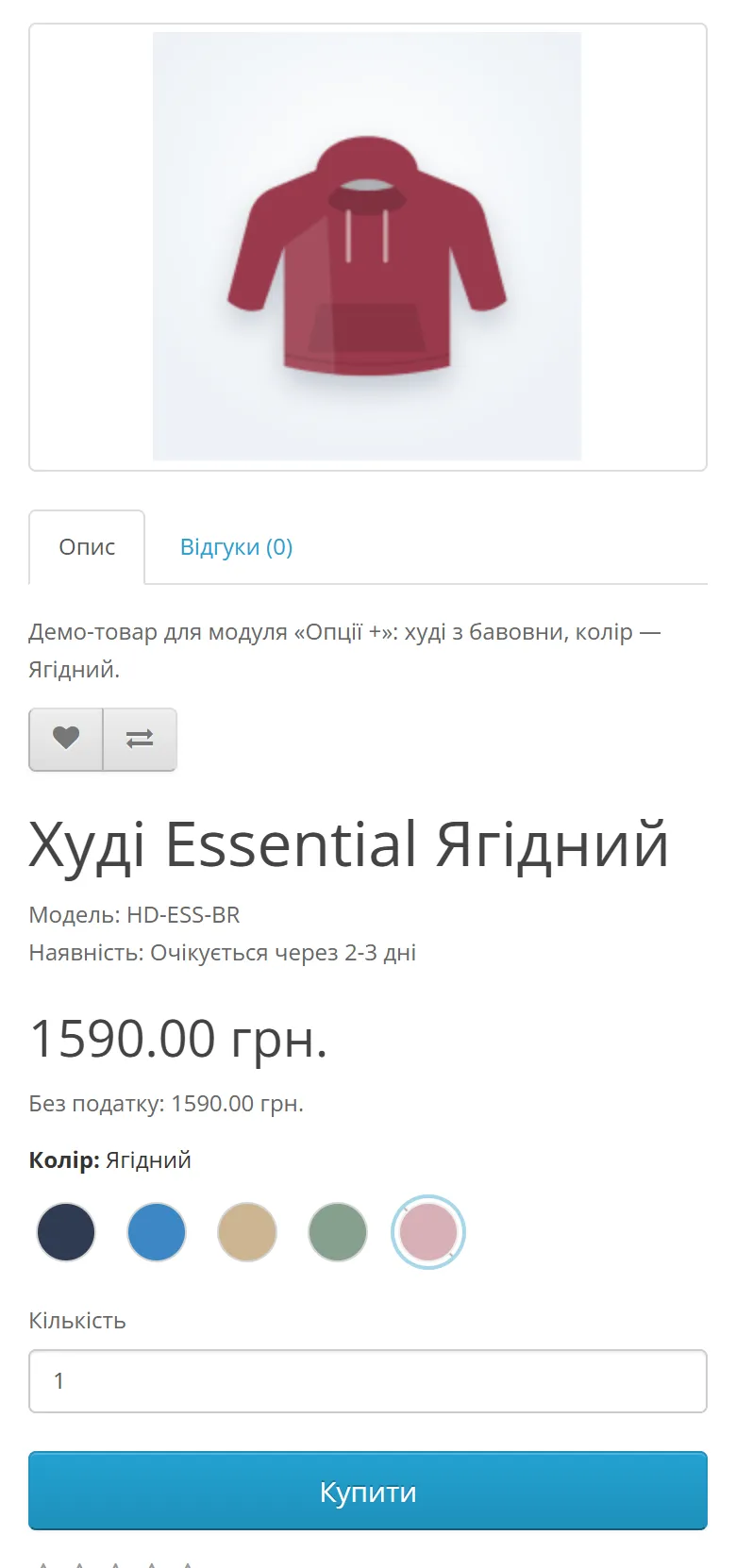
Group separate products, and each product page gets a switcher: colours, materials, models. The customer clicks a variant and goes to its page, while every variant keeps its own URL, price, stock, photos and SEO.

  • OpenCart 3.x
  • ocStore 3
  • PHP 7.4 · 8.1 · 8.2 · 8.3
  • No core edits
Demo: click the colours

Essential hoodie Graphite

SKU
HD-ESS-GR
Availability
In stock
1 490 UAH
Colour: Graphite
Buy
Why separate products

One page for every colour — or a page for each?

A standard “Colour” option hides every variant behind one URL. Options + keeps each variant a separate product and simply links them together.

Standard OpenCart option
  • One URL and one SEO title for every colour
  • The same photos whatever colour is chosen
  • Reviews mixed across all variants
Options + group
  • Its own URL, meta tags and search listing for every colour
  • Its own photos, price, SKU and stock
  • Reviews belong to a specific variant
  • Size and other options work as usual, alongside
Switcher styles

Swatches, buttons or a list — pick what suits your store

These are the same settings as in the module. Play with them and click a variant in the example.

Switcher style
In the module — from 16 to 128 px.
Out-of-stock products
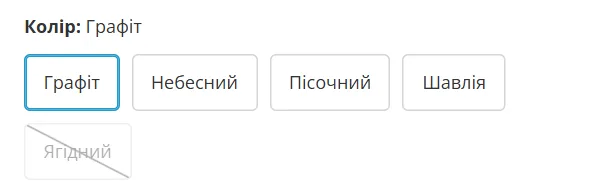
A swatch can be
  • a #RRGGBB colour
  • a separate image, e.g. a fabric photo
  • the product’s main photo
Essential hoodie Graphite In stock

The current product is always shown, even when it’s out of stock: try picking “Berry” and hiding sold-out ones.

Admin

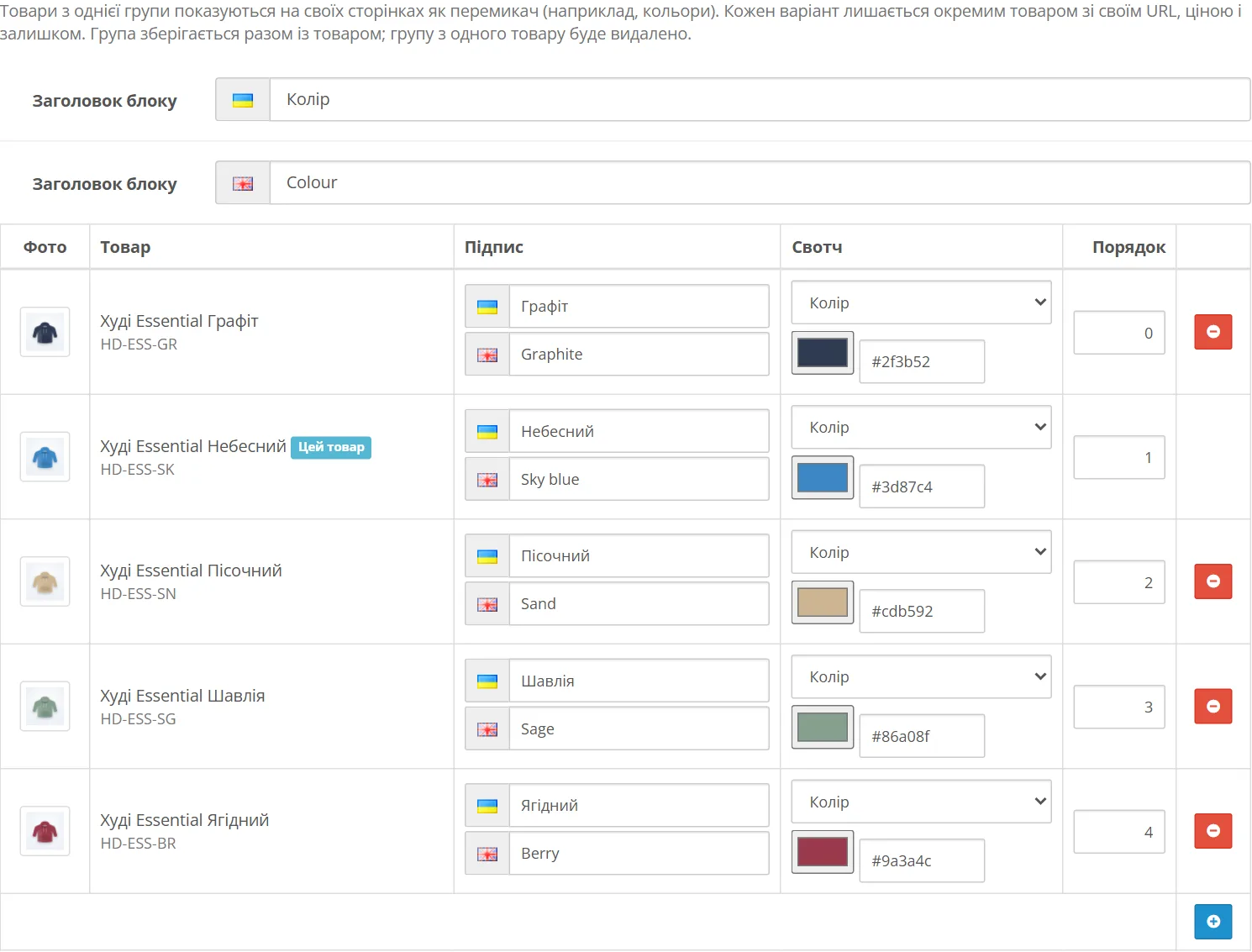
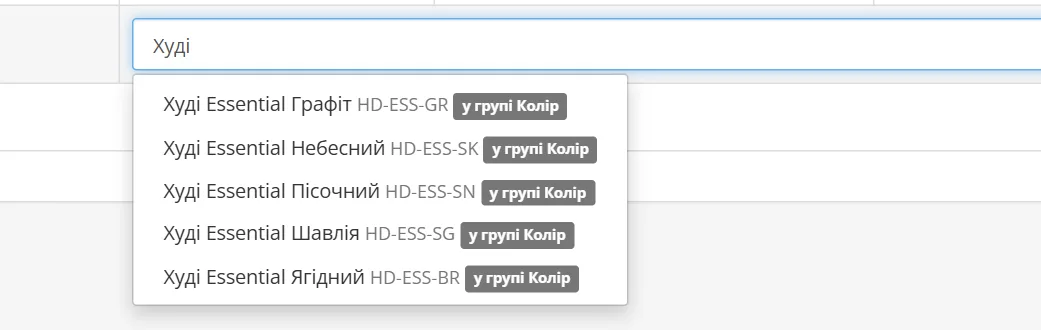
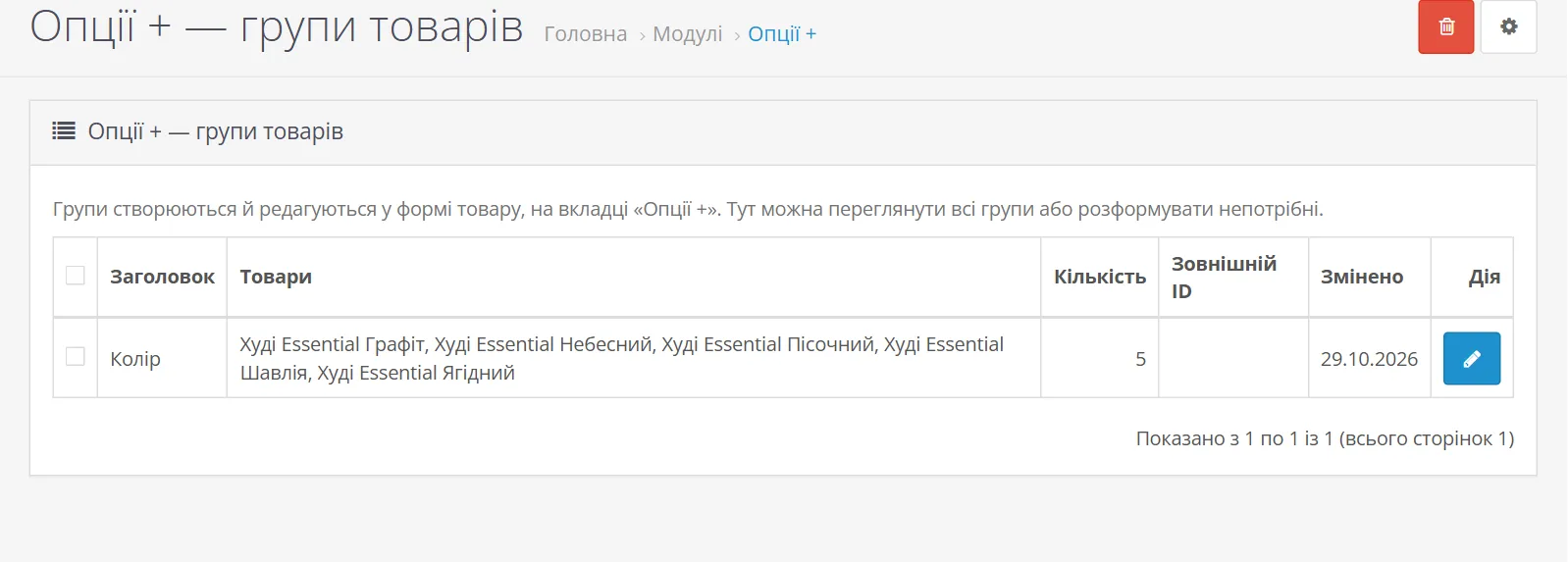
The group is built right in the product form

  1. The “Options +” tab in the form of any product in the group. The current one is already listed as “This product”.
  2. Search by name or SKU adds variants. A product from another group is marked “in group …” and can’t be added.
  3. Label, swatch and order for every row. Labels and title in every store language.
  4. “Save” the product — the group is saved with it and appears on the pages of all its products.
Storefront

The switcher knows what to show the customer

The module checks every product in the group when the page is shown. Nothing has to be removed from the group by hand when a product sells out or isn’t released yet.

  • GraphiteCurrent product always shown
  • Sky blueEnabled, in stock shown
  • SandStatus “Disabled” not shown
  • SageAvailability date not reached yet not shown
  • BerryOut of stock dimmed or hidden
  • MilkNot added to this store not shown
The customer sees
Colour: Graphite
  • If only one product is left visible, the block isn’t shown: there’s nothing to choose from.
  • One database query per product page — with a group or without.
  • Multi-store: each store shows only its own products.
Fits your theme

A few CSS variables change colours and shape

The module’s styles are built on variables. Override them for .options-plus in your theme’s CSS — no need to edit the module, and updates won’t undo anything.

--op-active
--op-radius
Colour: Sky blue
  • Graphite
  • Sky blue
  • Sand
  • Sage
Your theme’s CSS

No spot for it in your theme’s template? Turn off “Show on the product page” and place the module in the Product layout via “Design → Layouts”.

Examples

Colours, fabrics, storage, volume — anything sold “in variants”

A group is any set of products the customer chooses between. Click the variants: the page, price and address change.

Clothing Swatches
Essential hoodie Graphite 1 490 UAH
Colour: Graphite
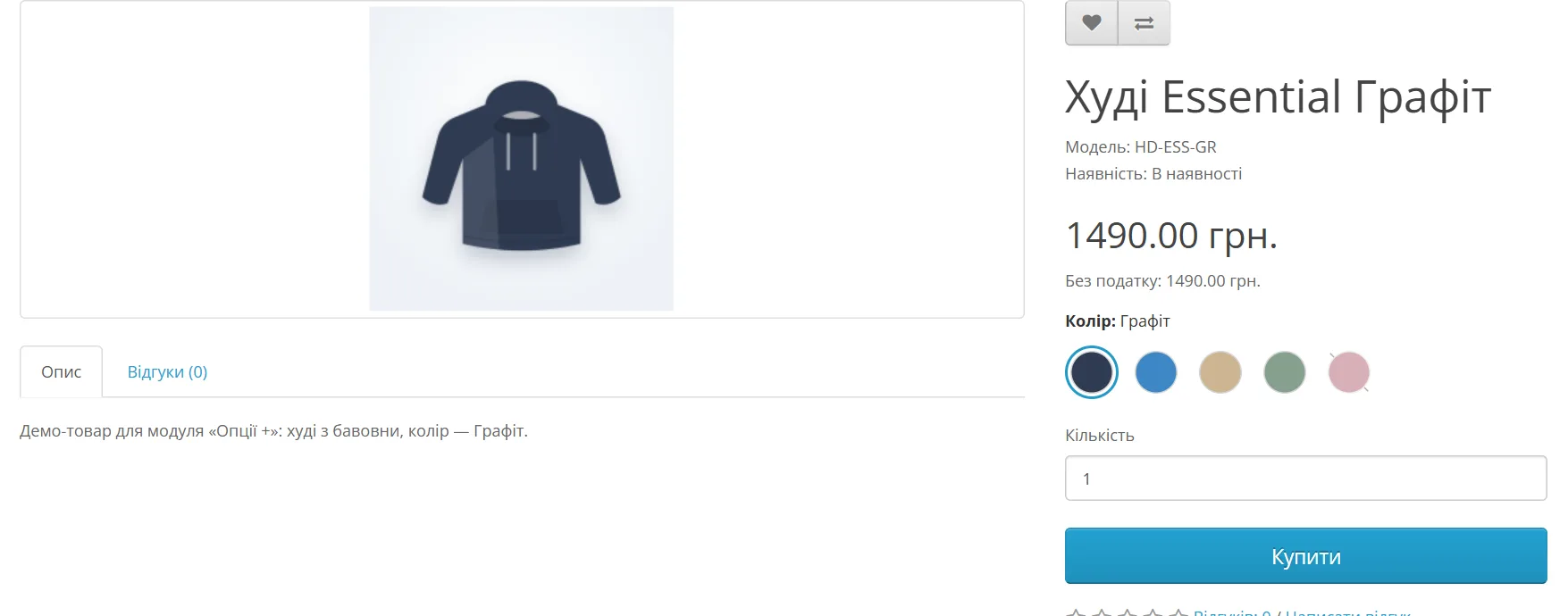
/hoodie-essential-graphite
Furniture Swatches
Nord sofa Velour, grey 18 900 UAH
Upholstery: Velour, grey
/nord-sofa-velour-grey
Electronics Text buttons
Air X smartphone 128 GB 21 999 UAH
Storage: 128 GB
/air-x-smartphone-128gb
Cosmetics List (like options)
Aurum perfume 30 ml 1 250 UAH
Volume: 30 ml
/aurum-perfume-30-ml

The switcher style is chosen in the module settings for the whole store. Here different styles sit side by side so they’re easy to compare.

Screenshots

How the module looks in the store and in the admin

Real screenshots from a test store on ocStore 3 with the default theme. The products are demo ones.

Three switcher styles on a real storefront
Installation

Up and running in 5 steps

  1. Upload options_plus.ocmod.zip in “Extensions → Installer”.
  2. Open “Extensions → Modifications” and click “Refresh”.
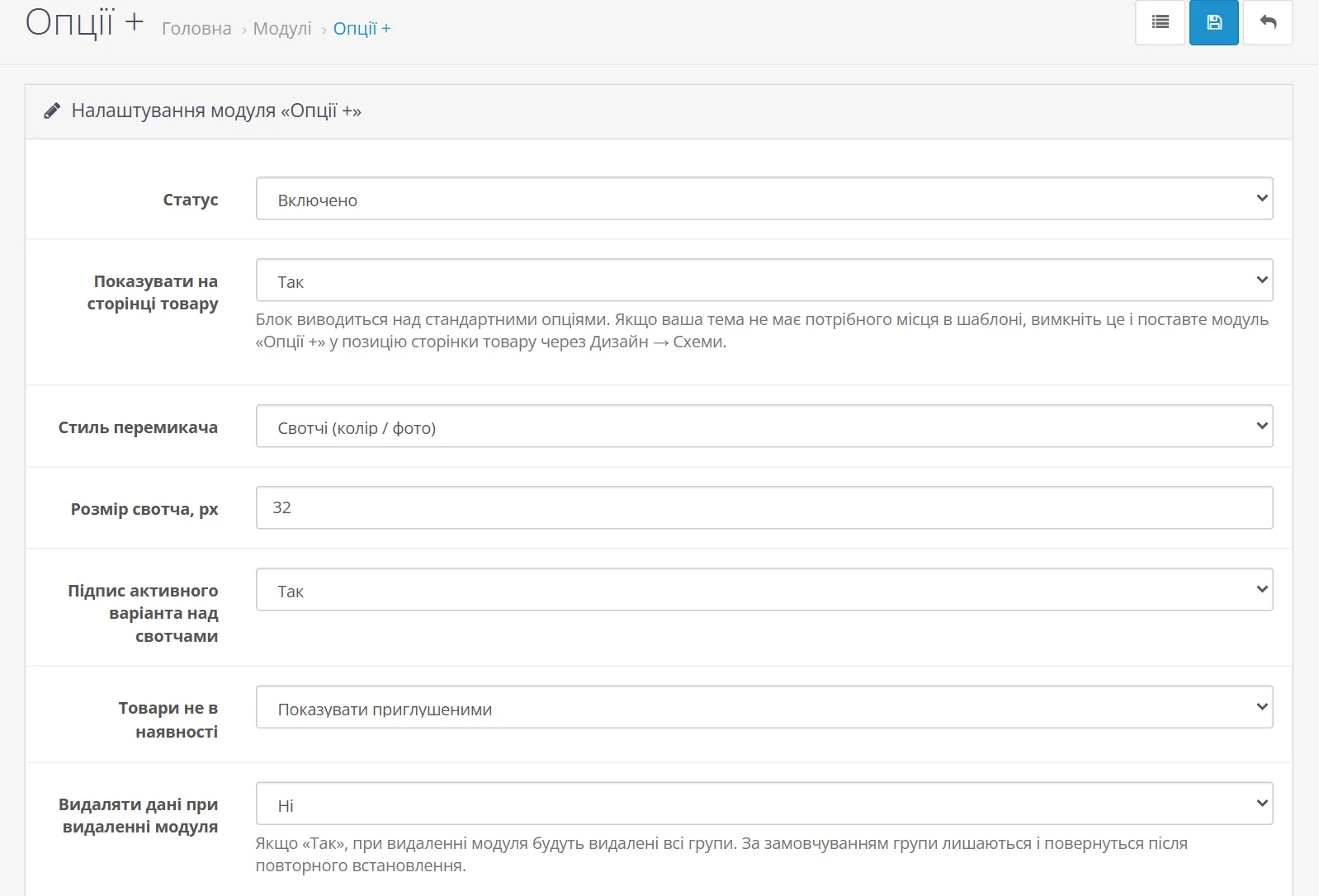
  3. In “Extensions → Modules” install “Options +”, then click “Edit”.
  4. Enter the licence key from your account and click “Activate” — the key is bound to your domain.
  5. Turn on “Status”, save, and build your first group on the “Options +” tab of a product.
Version
v1.0.0
Updated
27.08.2026
Compatibility
OpenCart 3.0.3.x · ocStore 3
PHP
7.4 · 8.1 · 8.2 · 8.3
Requires
ionCube Loader
Format
ocmod.zip
License
One domain
Changelog

Updates

  1. v1.0.0 Current
    • First release
FAQ

Questions and answers

Options + · v1.0.0

Show customers every variant — without losing a single URL

One purchase — a license for your domain, the archive and updates in your account.

  • Compatibility OpenCart 3.0.3.x · ocStore 3
  • PHP 7.4 · 8.1 · 8.2 · 8.3
$22 one-time · license for 1 domain
  • License key right after payment
  • Archive and updates in your account
  • Secure payment via WayForPay

More AirProjects modules

Full catalog

Need help with a module or a custom tweak?

We’ll install it, adapt it to your theme or build a module for your needs.